ONESOURCE Statutory Reporting, taken further
We implement ONESOURCE Statutory Reporting, then build what your organisation needs around it: the inputs that feed it, the outputs you want from it, and the link to ONESOURCE Tax Provision. Page through the examples below.
Read the slides as text
-
Slide 1: Your statutory accounts, taken further.
We implement Thomson Reuters ONESOURCE Statutory Reporting, then build the inputs, automation and bespoke reporting your organisation needs around it.
-
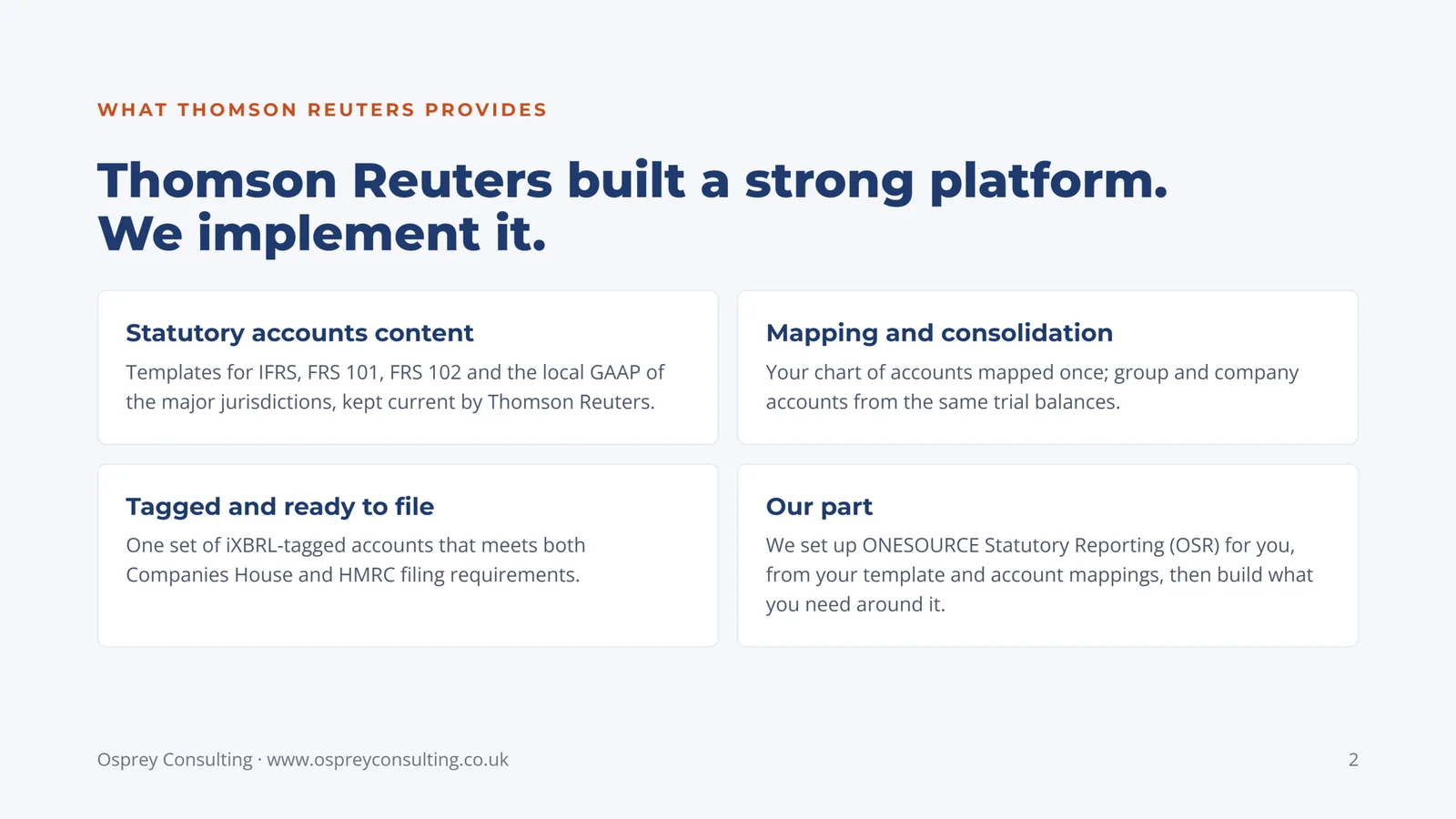
Slide 2: Thomson Reuters built a strong platform. We implement it.
Statutory accounts content: templates for IFRS, FRS 101, FRS 102 and the local GAAP of the major jurisdictions, kept current by Thomson Reuters.
Mapping and consolidation: your chart of accounts mapped once; group and company accounts from the same trial balances.
Tagged and ready to file: one set of iXBRL-tagged accounts that meets both Companies House and HMRC filing requirements.
Our part: we set up ONESOURCE Statutory Reporting (OSR) for you, from your template and account mappings, then build what you need around it.
-
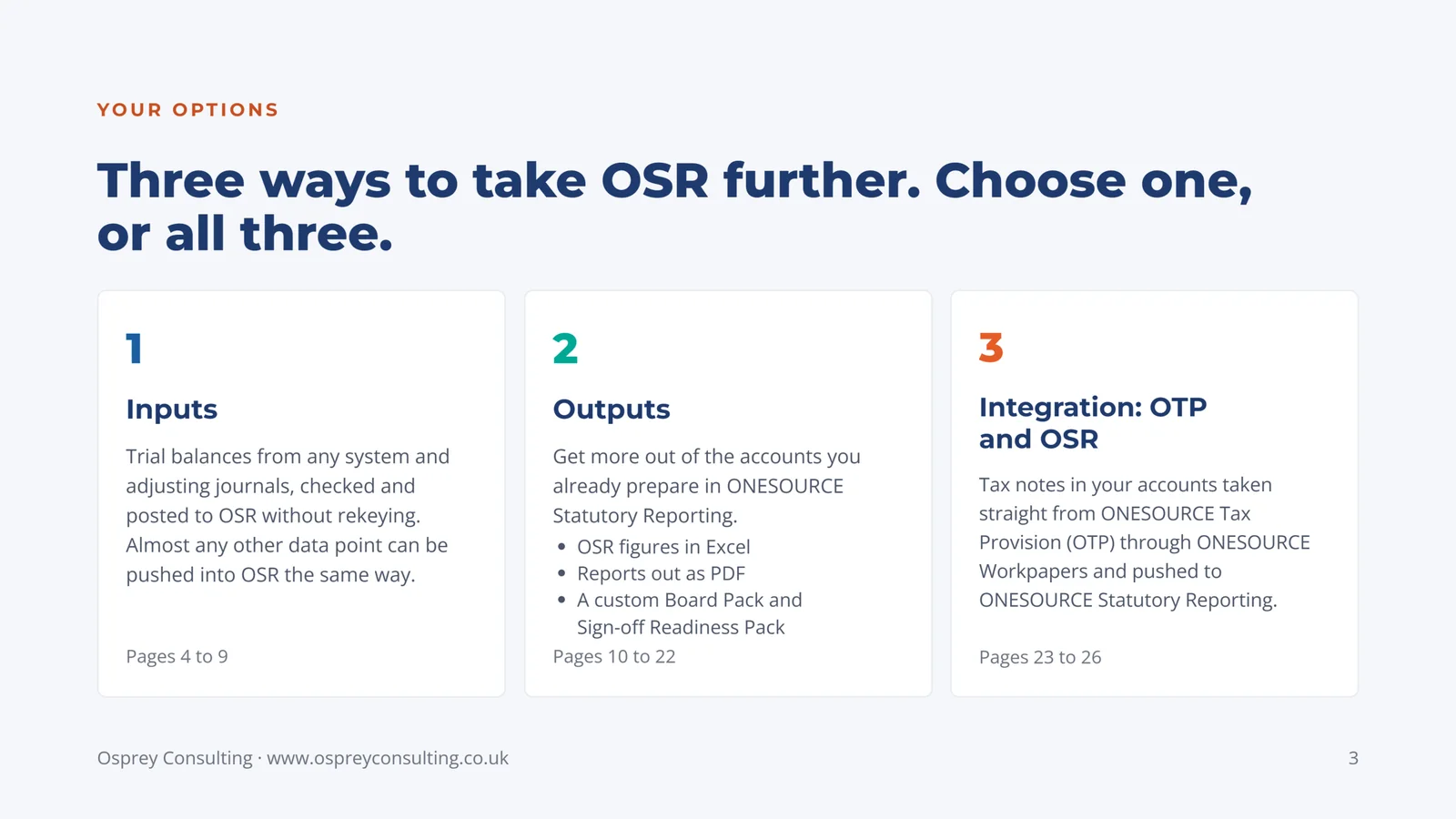
Slide 3: Three ways to take OSR further. Choose one, or all three.
1. Inputs: trial balances from any system and adjusting journals, checked and posted to OSR without rekeying. Almost any other data point can be pushed into OSR the same way. Pages 4 to 9.
2. Outputs: get more out of the accounts you already prepare in ONESOURCE Statutory Reporting: OSR figures in Excel, reports out as PDF, and a custom Board Pack and Sign-off Readiness Pack. Pages 10 to 22.
3. Integration, OTP and OSR: tax notes in your accounts taken straight from ONESOURCE Tax Provision (OTP) through ONESOURCE Workpapers and pushed to ONESOURCE Statutory Reporting. Pages 23 to 26.
-
Slide 4: Option 1 of 3: Inputs
Trial balances and adjusting journals pushed to OSR without rekeying, shown on an example Journal Loader: read, checked and posted. Almost any other data point can be pushed into OSR in the same way; the tax note from OTP, in Option 3, is another we have built. Pages 5 to 9.
-
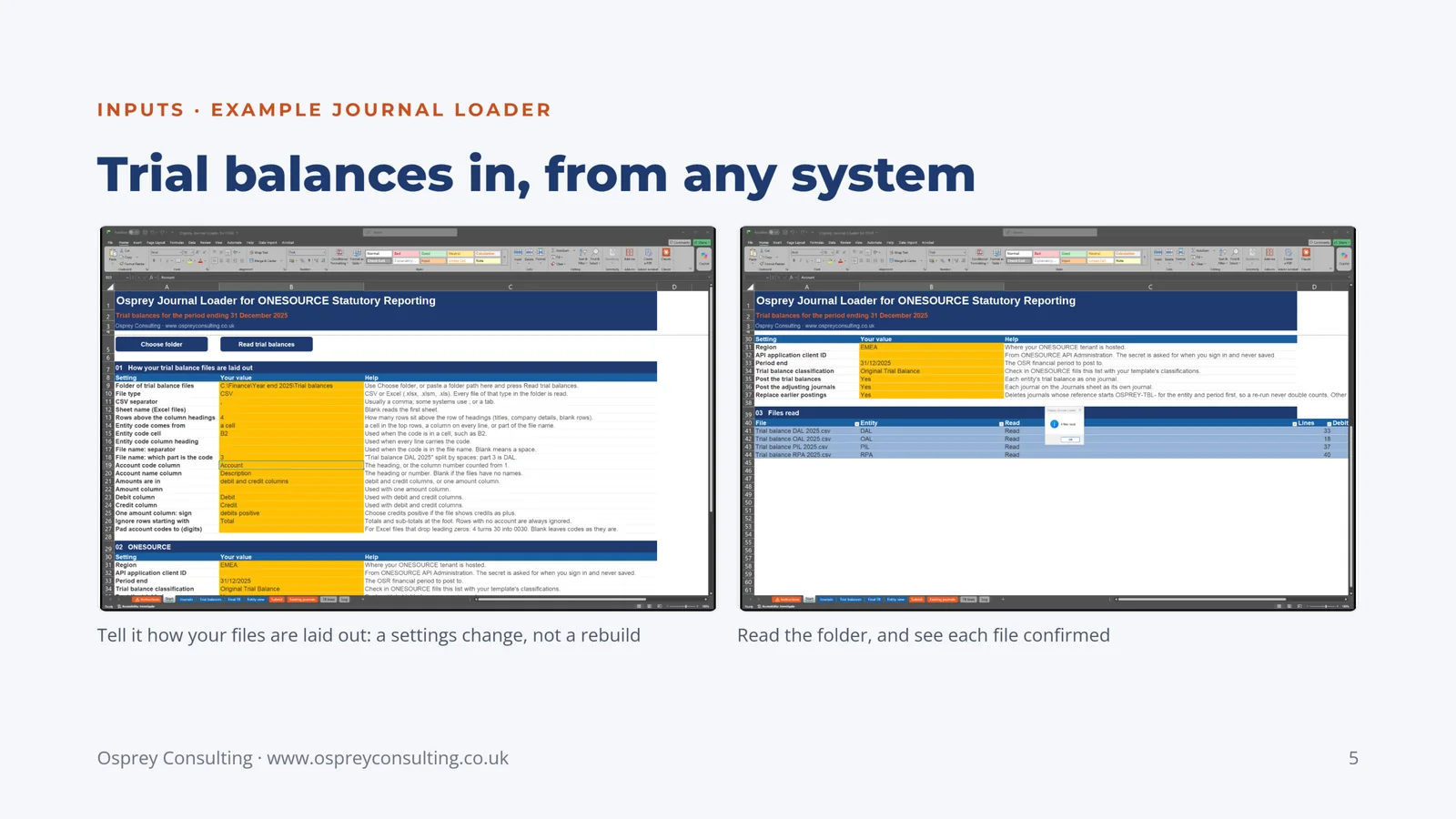
Slide 5: Trial balances in, from any system
Example Journal Loader. Tell it how your files are laid out: a settings change, not a rebuild. Read the folder, and see each file confirmed.
-
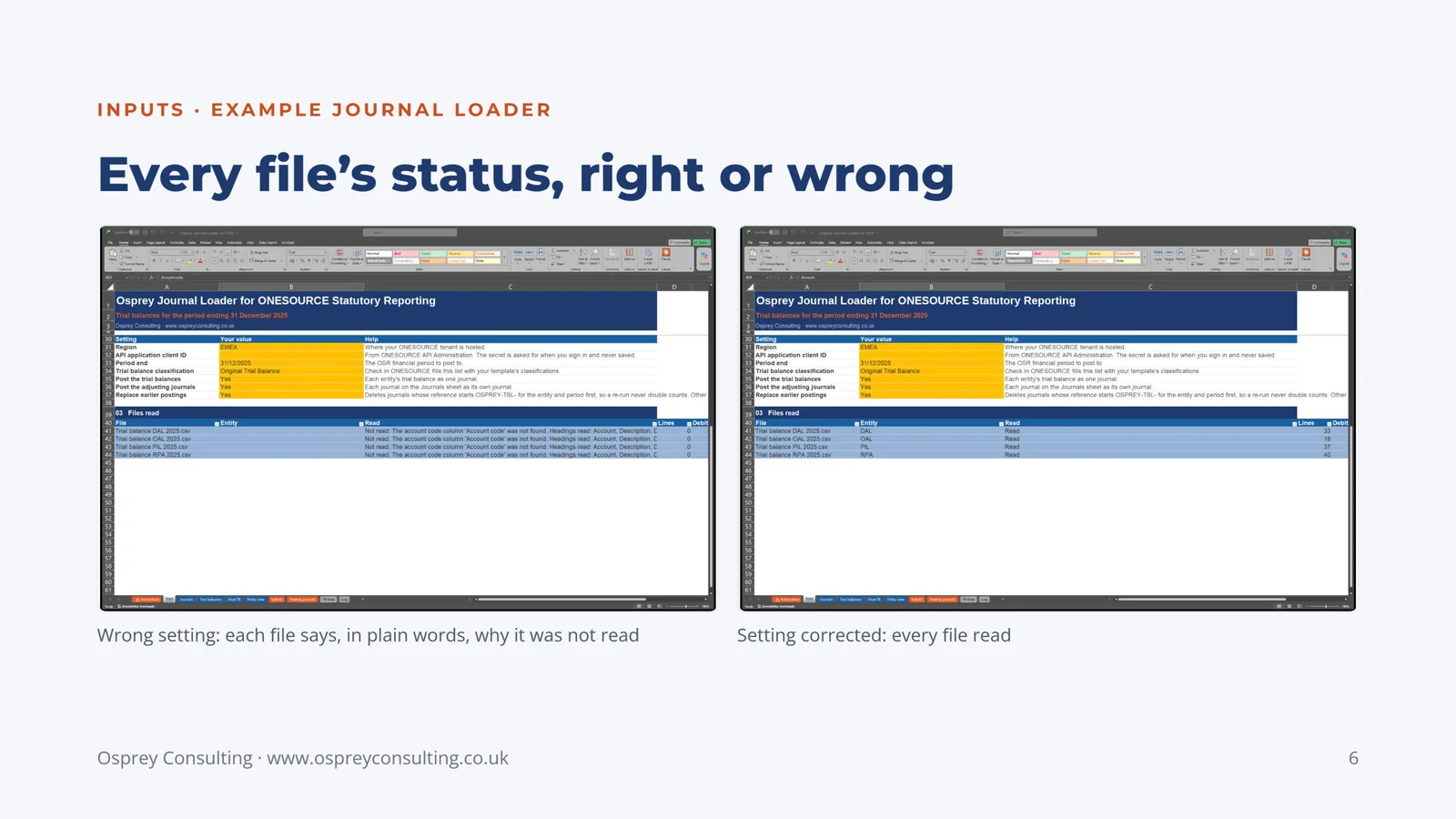
Slide 6: Every file's status, right or wrong
Example Journal Loader. Wrong setting: each file says, in plain words, why it was not read. Setting corrected: every file read.
-
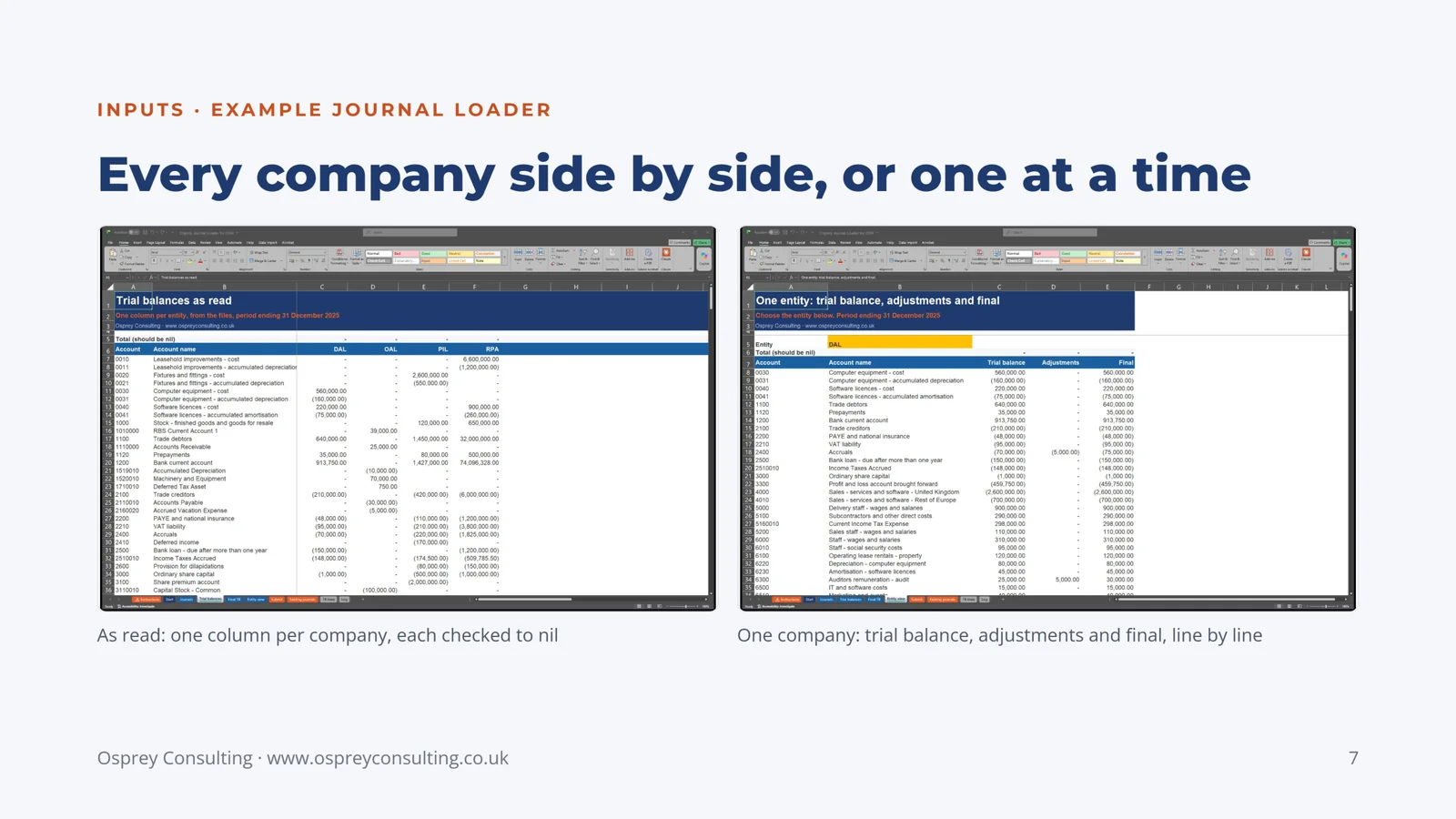
Slide 7: Every company side by side, or one at a time
Example Journal Loader. As read: one column per company, each checked to nil. One company: trial balance, adjustments and final, line by line.
-
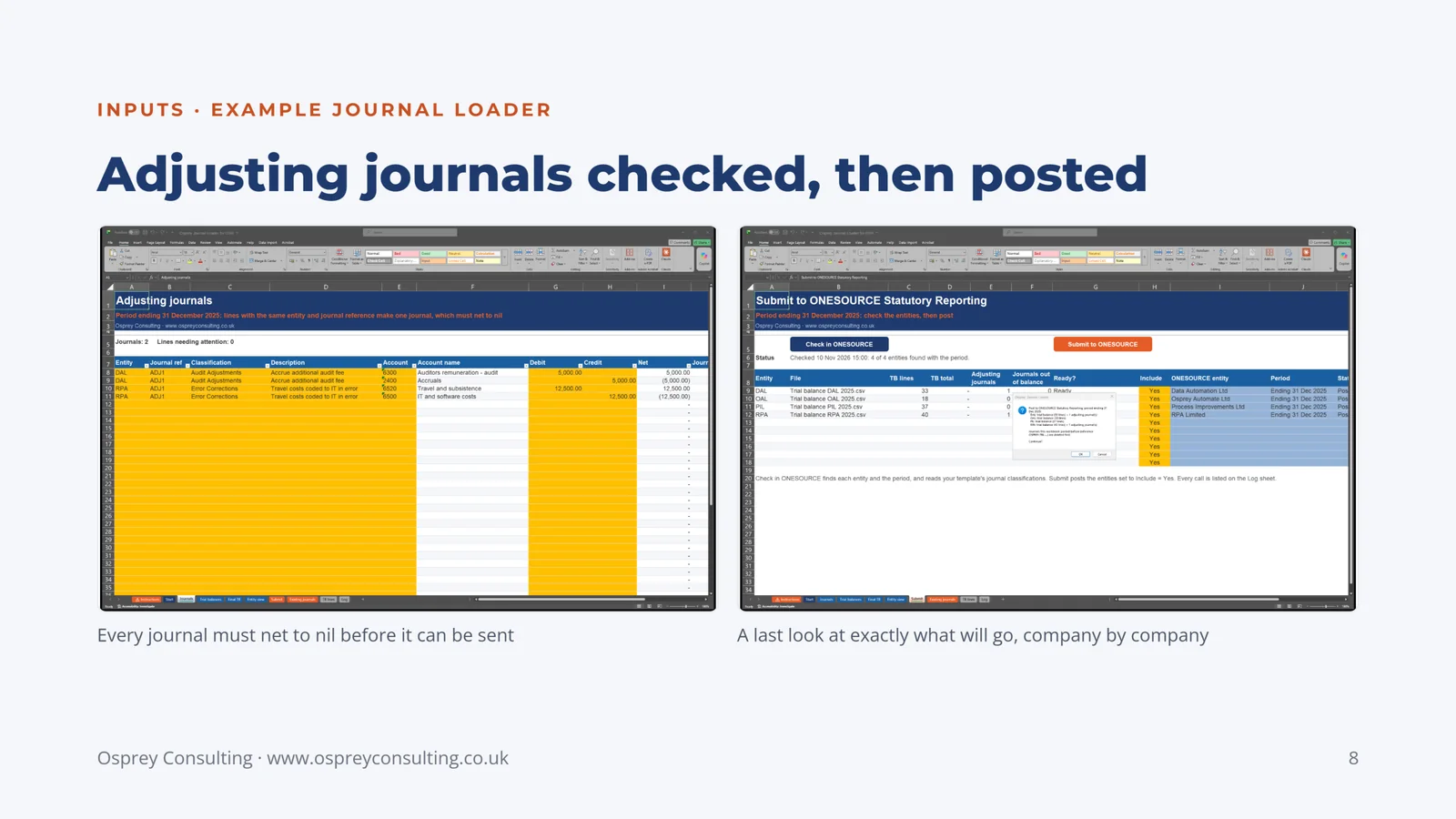
Slide 8: Adjusting journals checked, then posted
Example Journal Loader. Every journal must net to nil before it can be sent. A last look at exactly what will go, company by company.
-
Slide 9: In OSR: the trial balance as posted
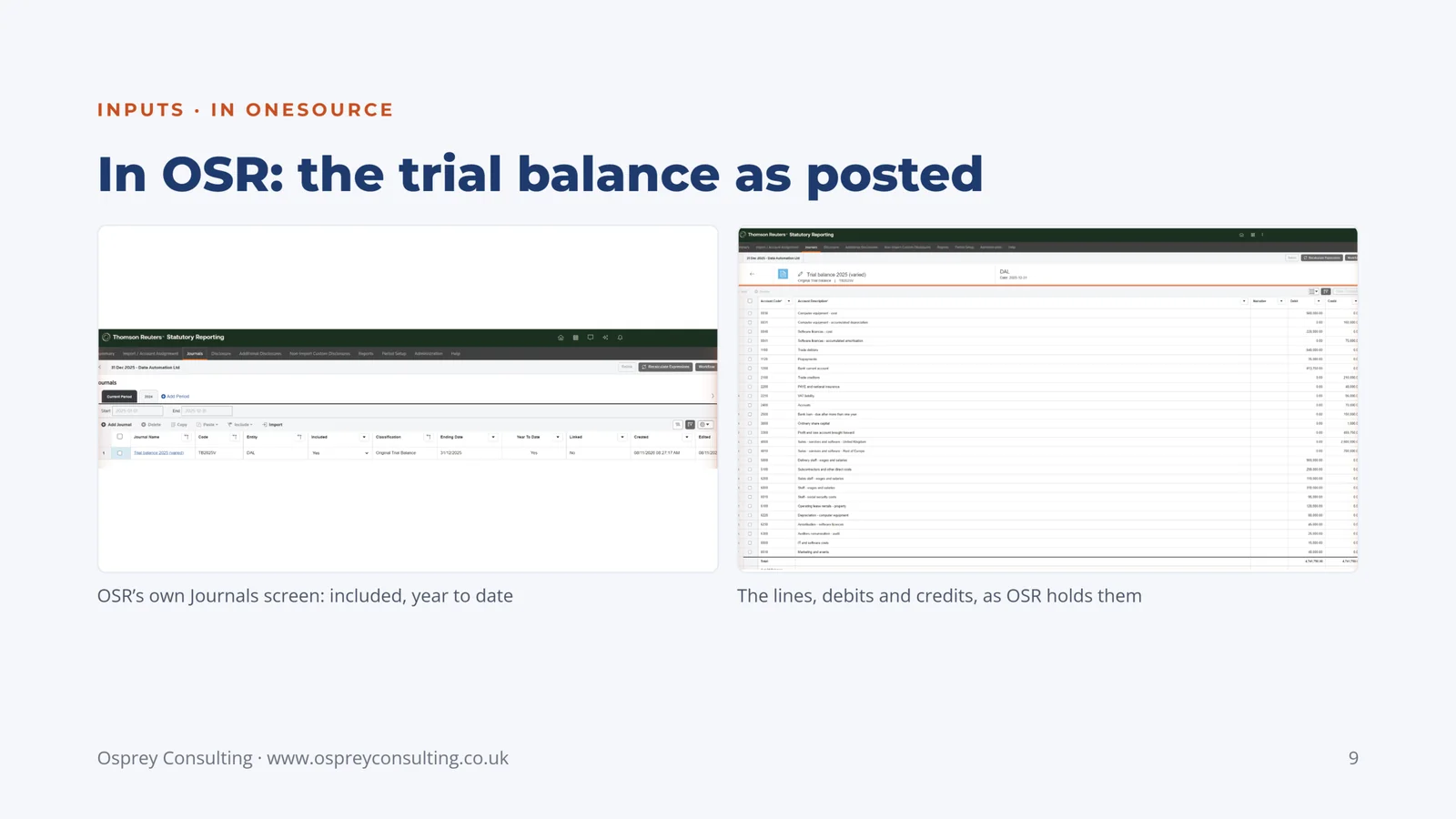
OSR's own Journals screen: included, year to date. The lines, debits and credits, as OSR holds them.
-
Slide 10: Option 2 of 3: Outputs
More out of the accounts you already prepare in OSR. Four ideas to start from: figures extracted from OSR into Excel, reports out as PDF, a Board Pack and a Sign-off Readiness Pack. Pages 11 to 22.
-
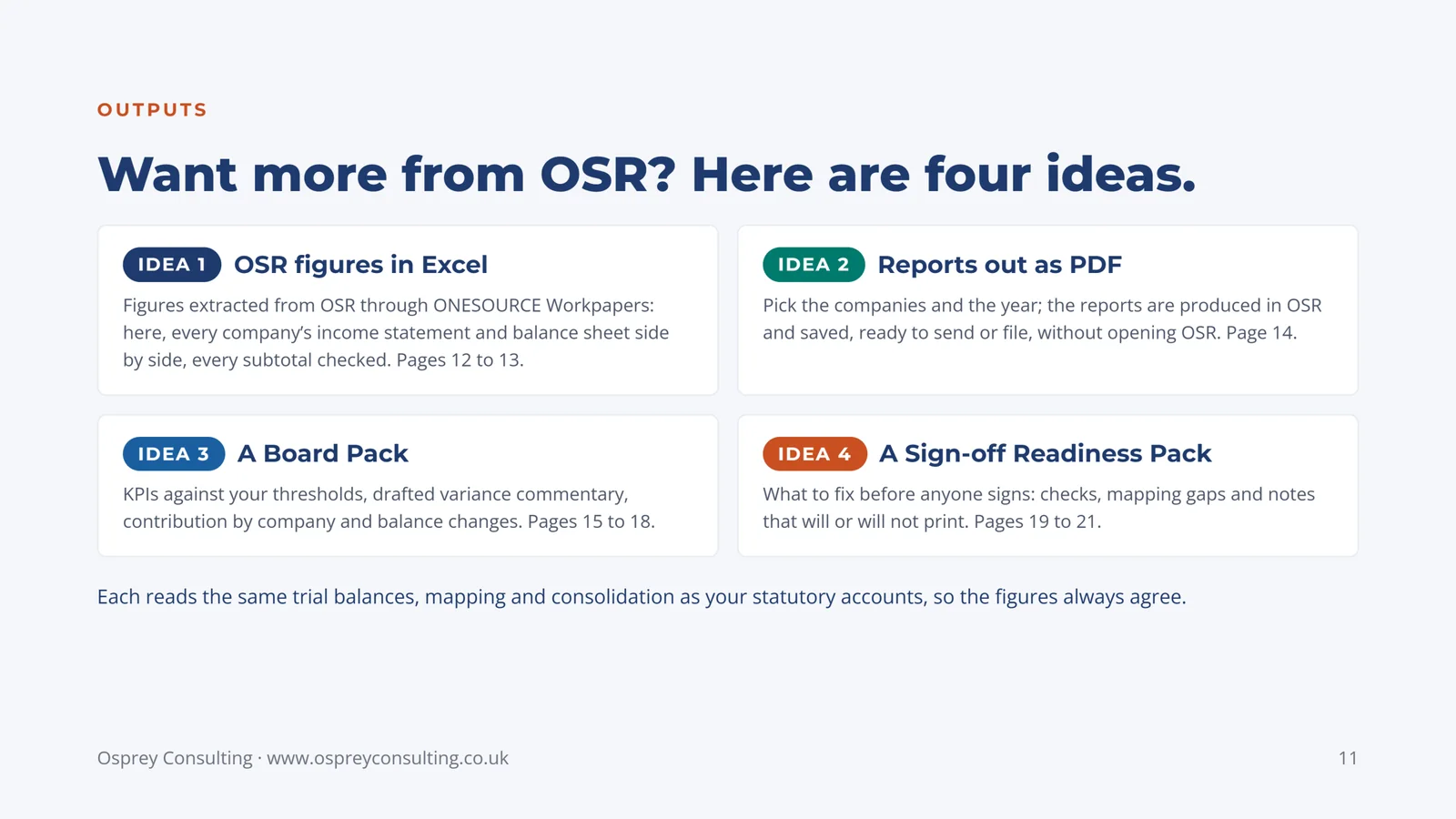
Slide 11: Want more from OSR? Here are four ideas.
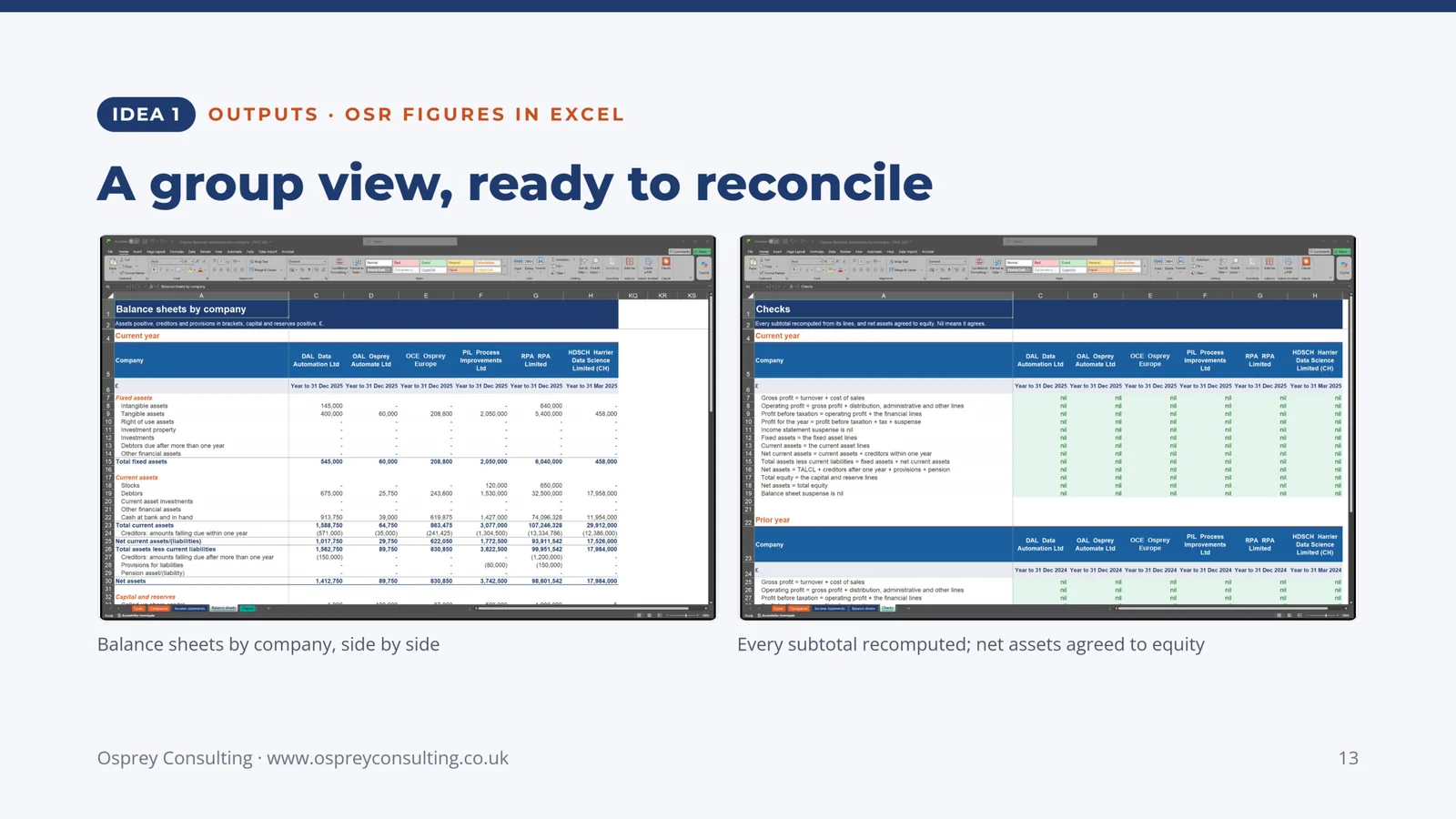
Idea 1, OSR figures in Excel: figures extracted from OSR through ONESOURCE Workpapers; here, every company's income statement and balance sheet side by side, every subtotal checked. Pages 12 to 13.
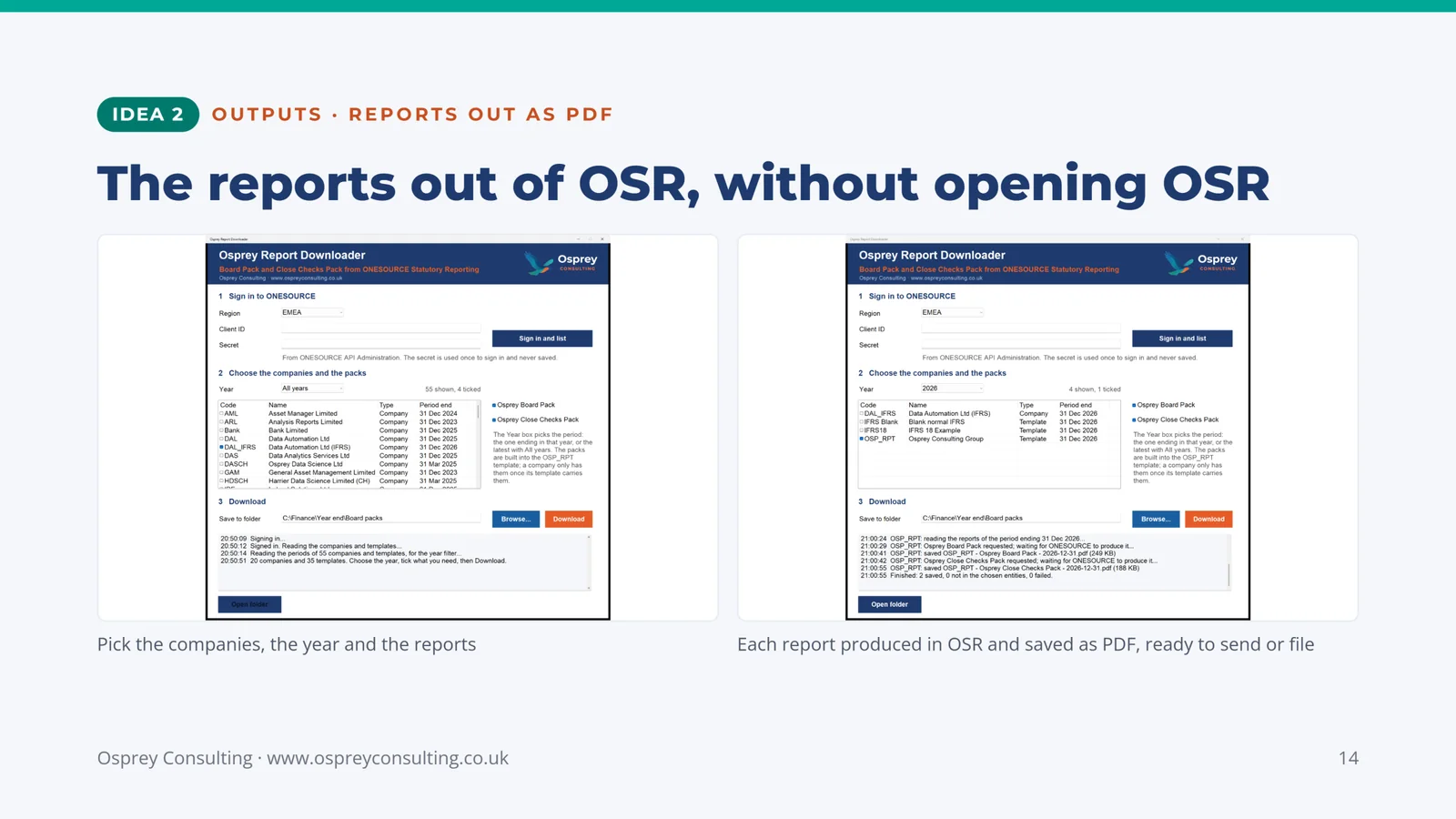
Idea 2, reports out as PDF: pick the companies and the year; the reports are produced in OSR and saved, ready to send or file, without opening OSR. Page 14.
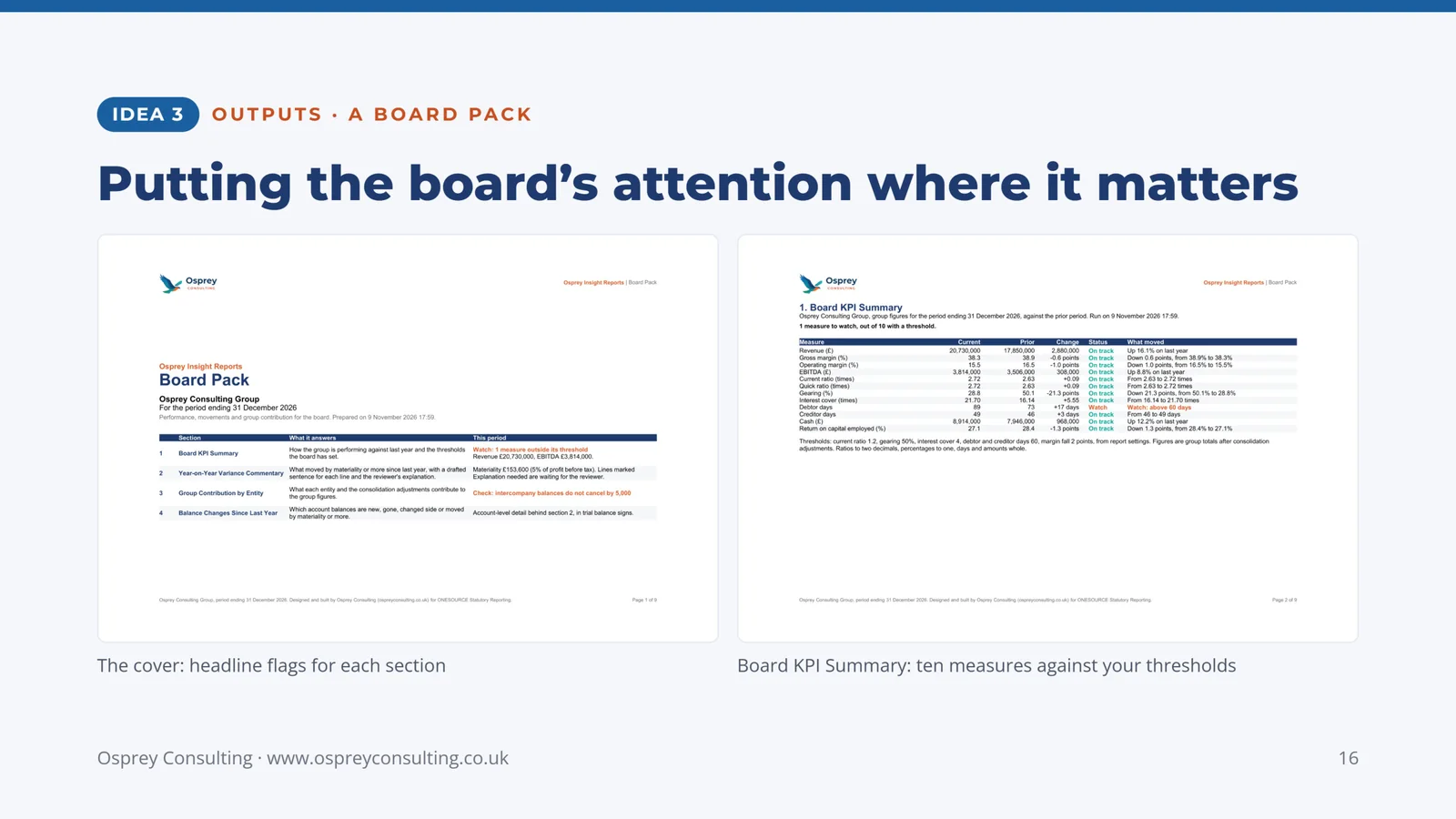
Idea 3, a Board Pack: KPIs against your thresholds, drafted variance commentary, contribution by company and balance changes. Pages 15 to 18.
Idea 4, a Sign-off Readiness Pack: what to fix before anyone signs: checks, mapping gaps and notes that will or will not print. Pages 19 to 21.
Each reads the same trial balances, mapping and consolidation as your statutory accounts, so the figures always agree.
-
Slide 12: Every company's statements, in one workbook
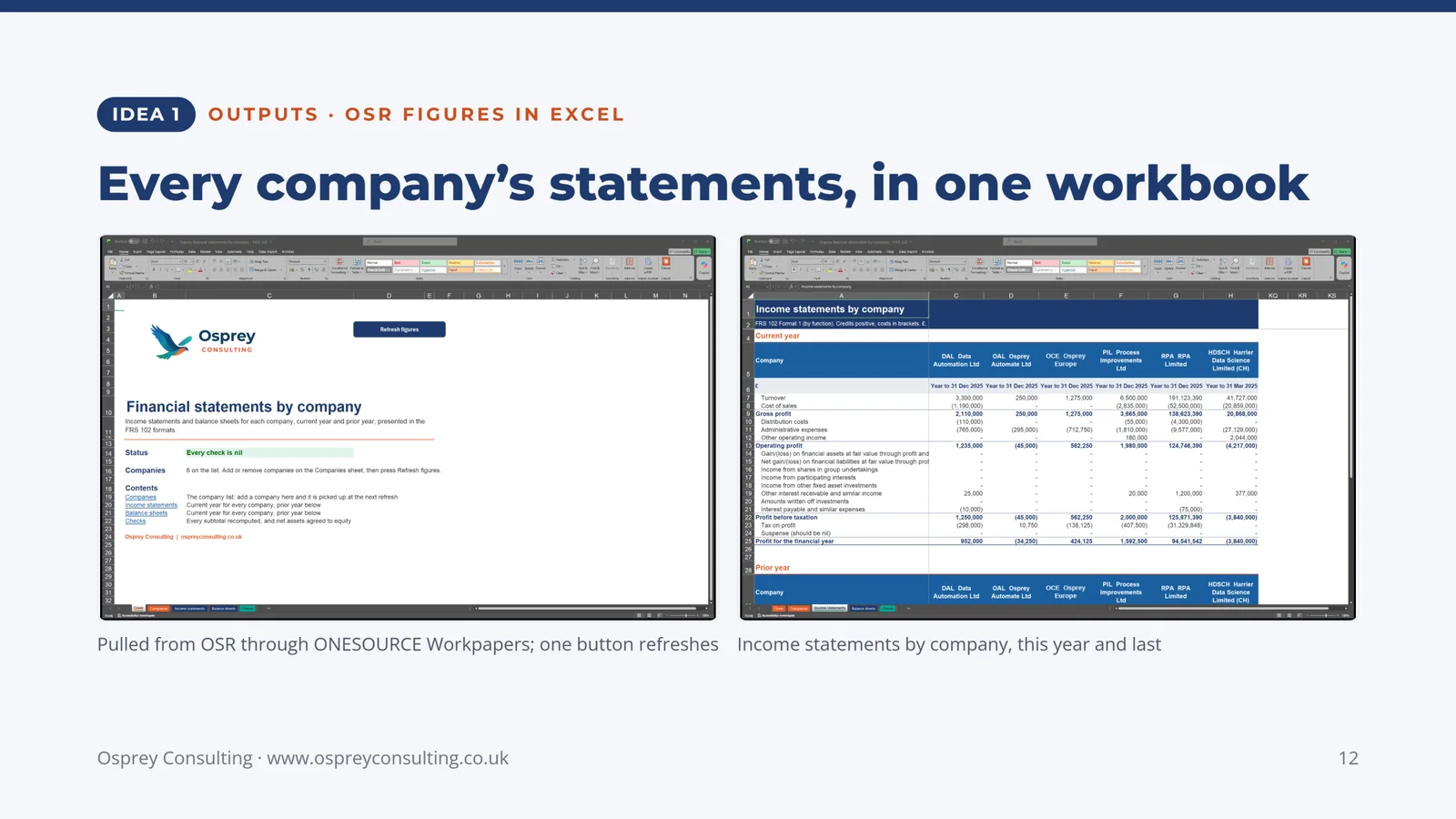
Idea 1, OSR figures in Excel. Pulled from OSR through ONESOURCE Workpapers; one button refreshes. Income statements by company, this year and last.
-
Slide 13: A group view, ready to reconcile
Idea 1, OSR figures in Excel. Balance sheets by company, side by side. Every subtotal recomputed; net assets agreed to equity.
-
Slide 14: The reports out of OSR, without opening OSR
Idea 2, reports out as PDF. Pick the companies, the year and the reports. Each report produced in OSR and saved as PDF, ready to send or file.
-
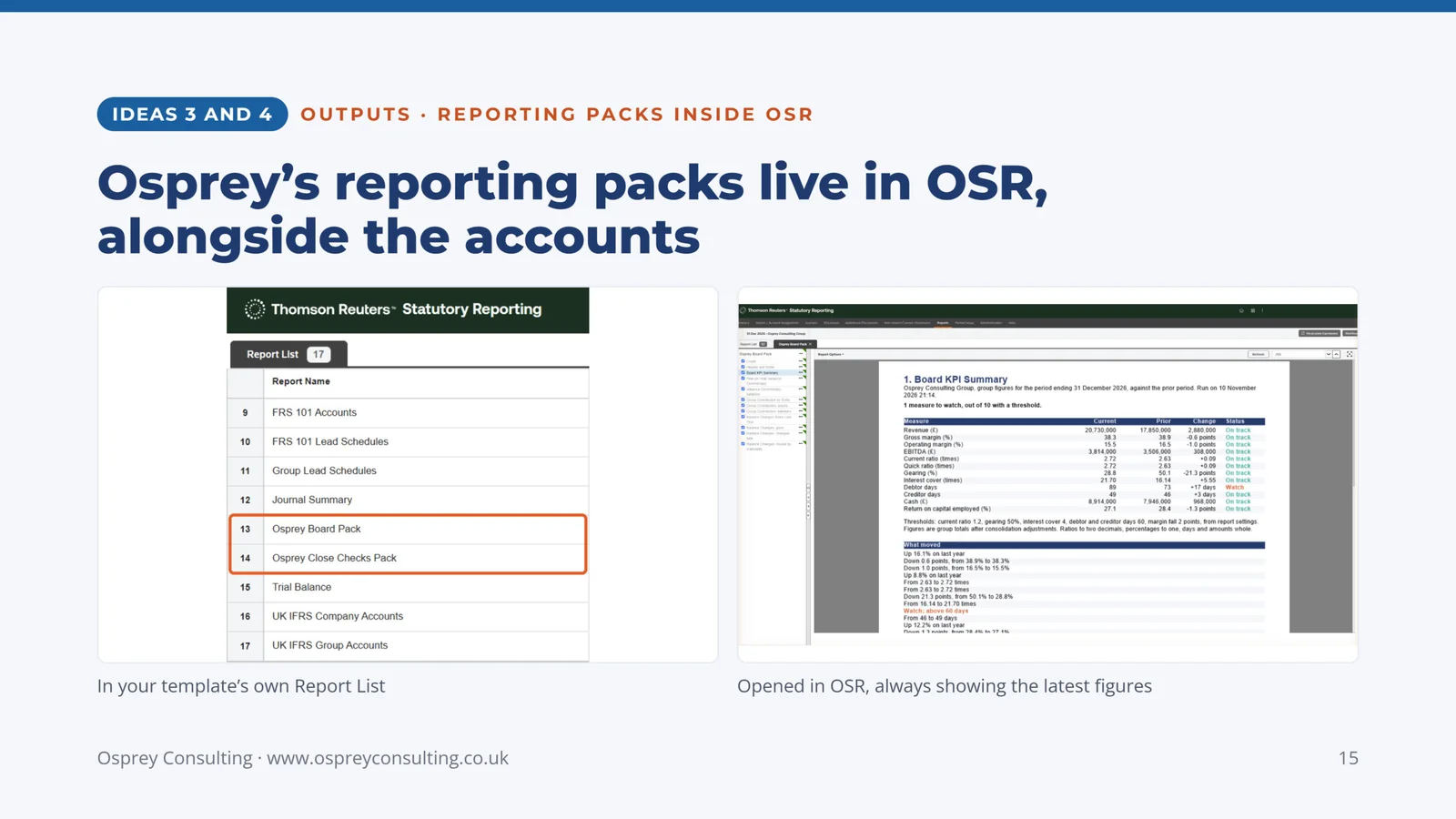
Slide 15: Osprey's reporting packs live in OSR, alongside the accounts
Ideas 3 and 4, reporting packs inside OSR. In your template's own Report List. Opened in OSR, always showing the latest figures.
-
Slide 16: Putting the board's attention where it matters
Idea 3, a Board Pack. The cover: headline flags for each section. Board KPI Summary: ten measures against your thresholds.
-
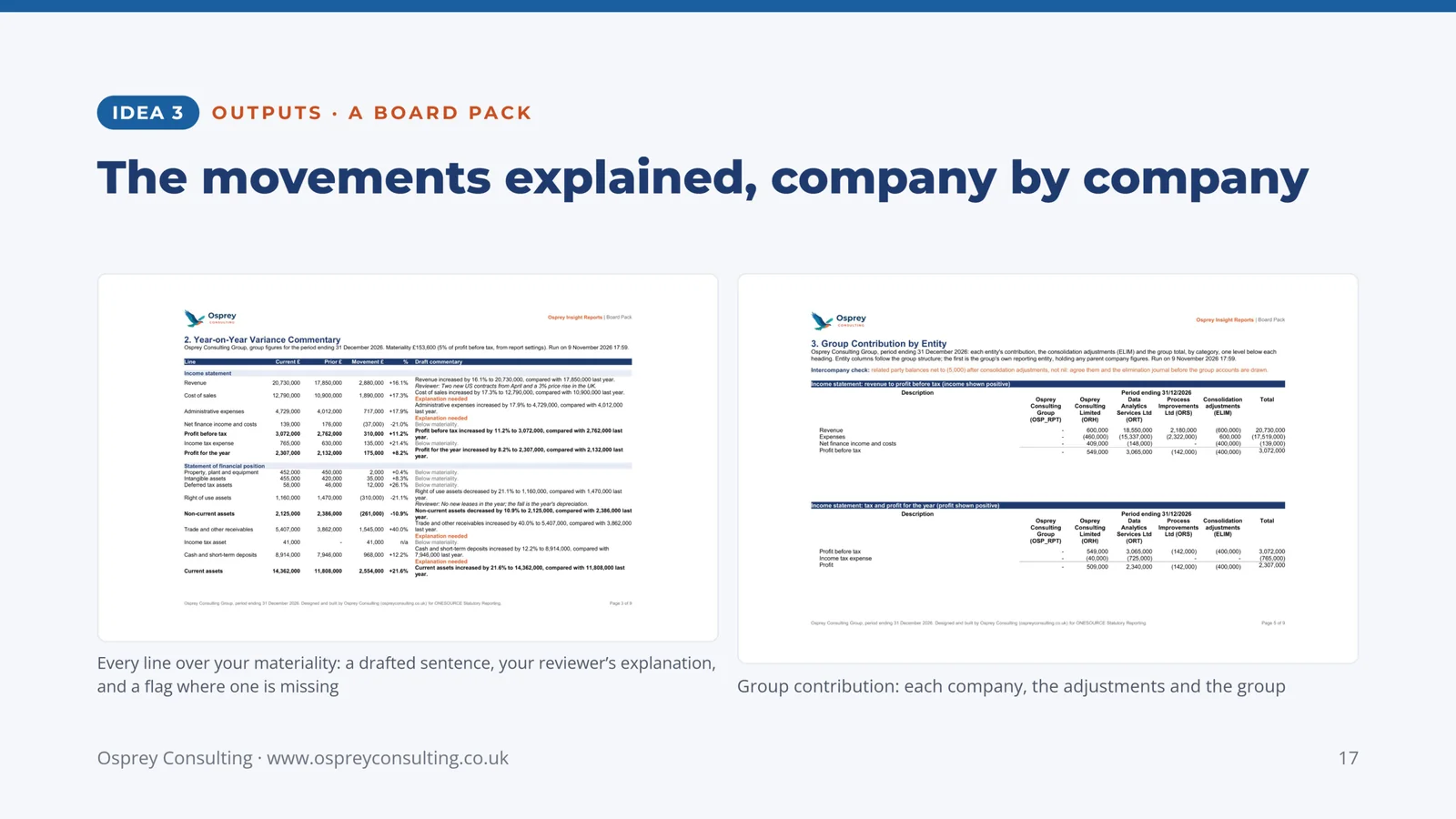
Slide 17: The movements explained, company by company
Idea 3, a Board Pack. Every line over your materiality: a drafted sentence, your reviewer's explanation, and a flag where one is missing. Group contribution: each company, the adjustments and the group.
-
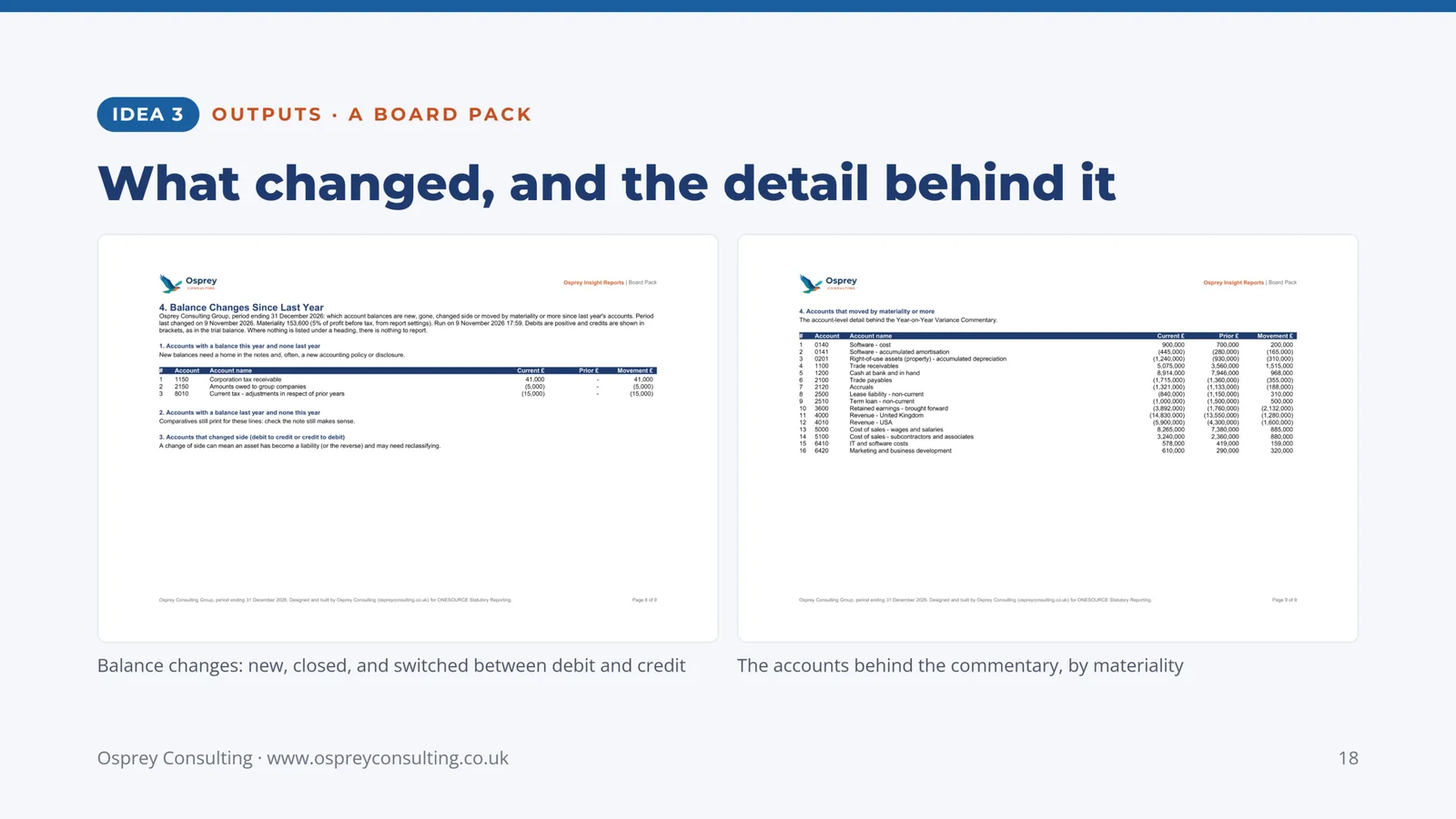
Slide 18: What changed, and the detail behind it
Idea 3, a Board Pack. Balance changes: new, closed, and switched between debit and credit. The accounts behind the commentary, by materiality.
-
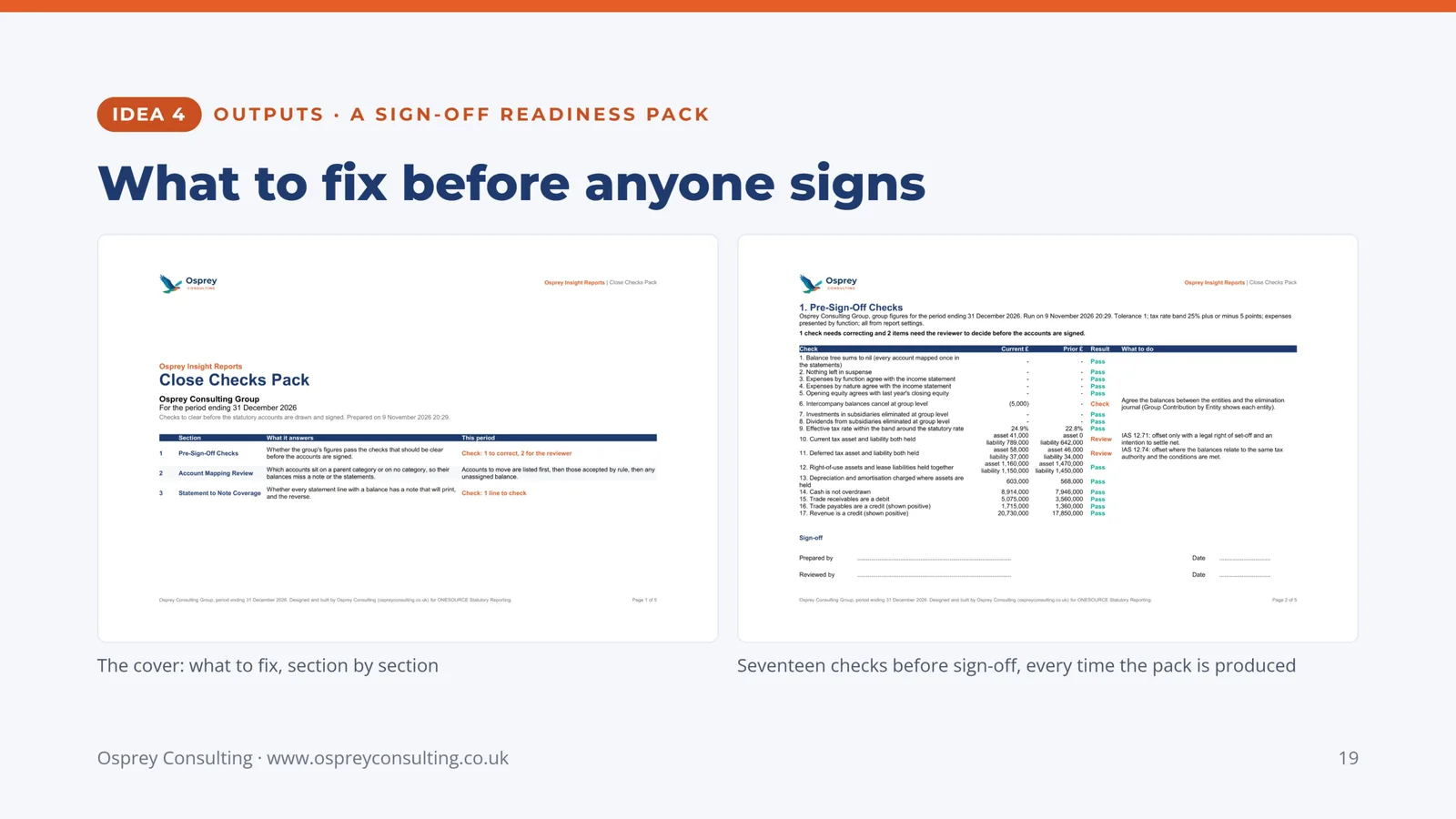
Slide 19: What to fix before anyone signs
Idea 4, a Sign-off Readiness Pack. The cover: what to fix, section by section. Seventeen checks before sign-off, every time the pack is produced.
-
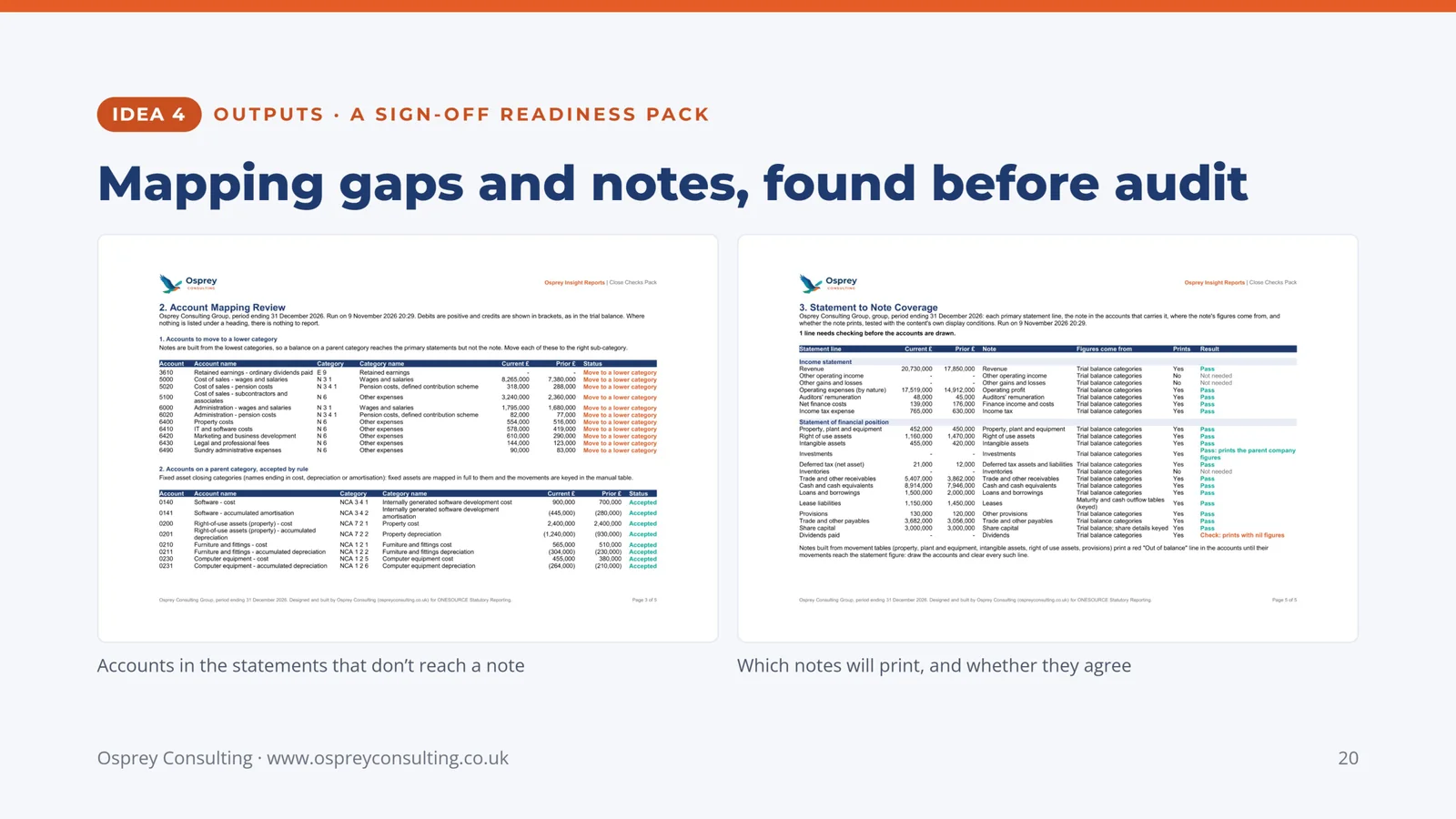
Slide 20: Mapping gaps and notes, found before audit
Idea 4, a Sign-off Readiness Pack. Accounts in the statements that don't reach a note. Which notes will print, and whether they agree.
-
Slide 21: Your thresholds and your words, kept in OSR
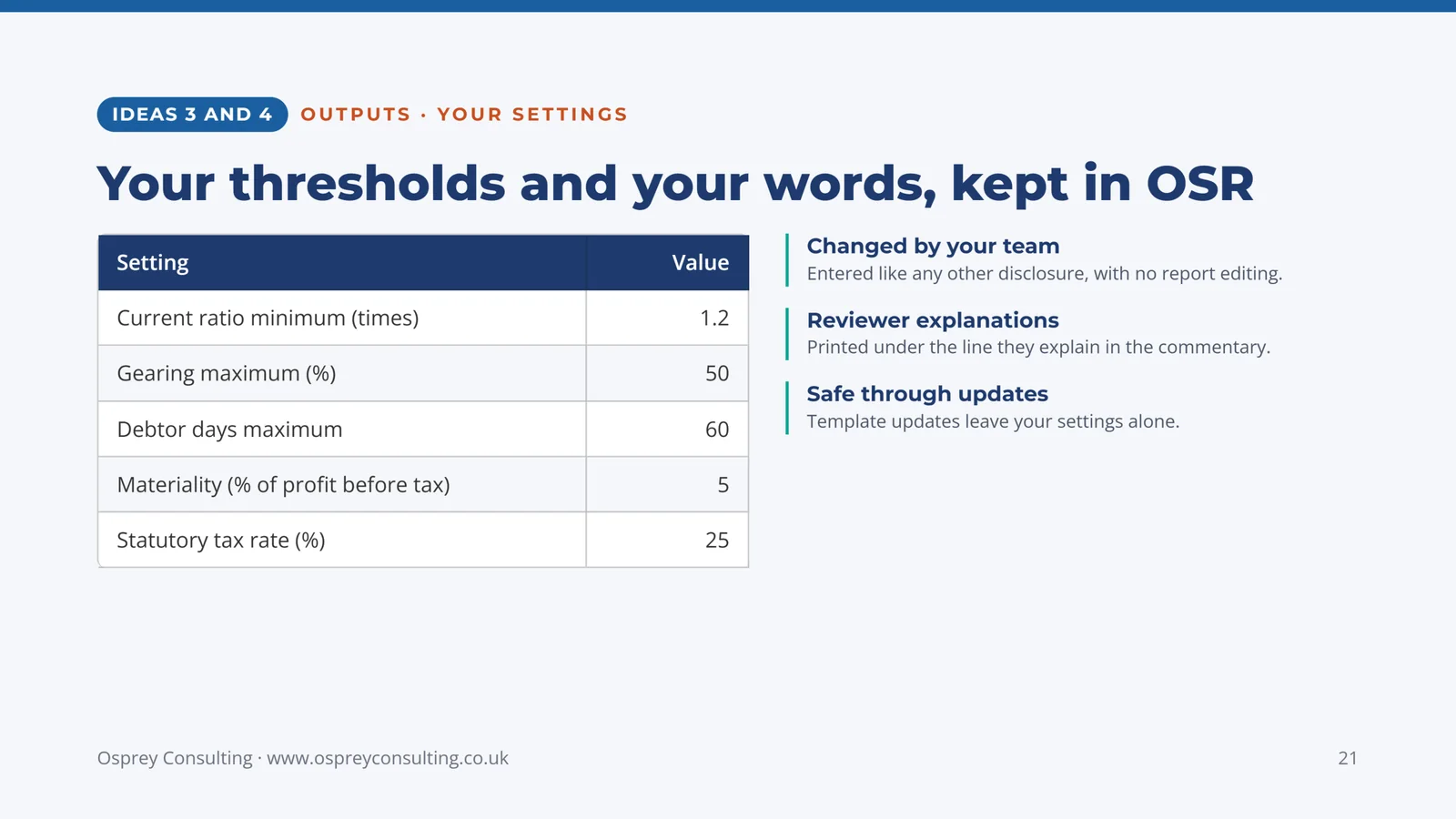
Ideas 3 and 4, your settings: current ratio minimum, gearing maximum, debtor days maximum, materiality as a percentage of profit before tax, and the statutory tax rate.
Changed by your team: entered like any other disclosure, with no report editing. Reviewer explanations: printed under the line they explain in the commentary. Safe through updates: template updates leave your settings alone.
-
Slide 22: OSR connected to the rest of your finance systems
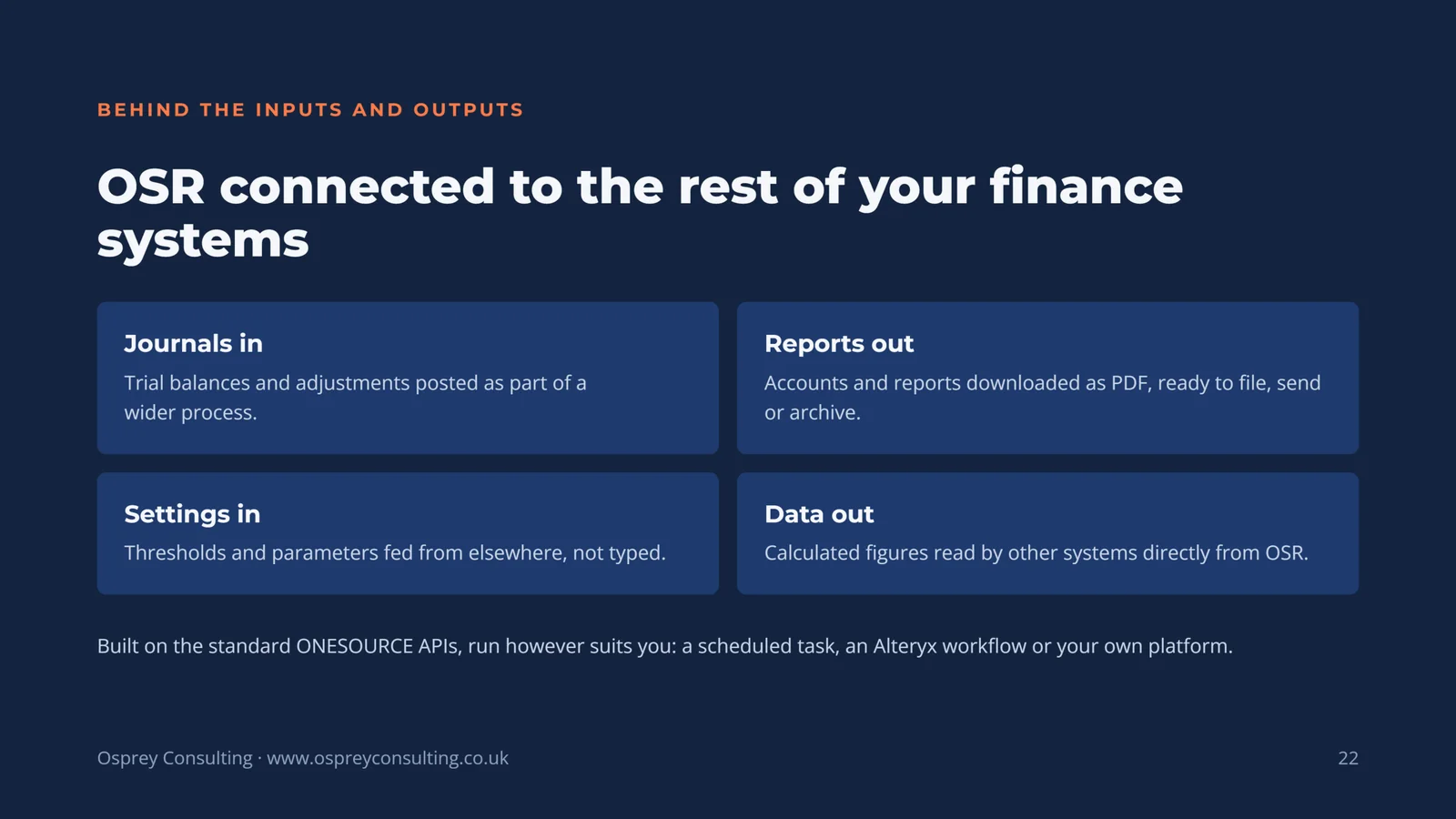
Journals in: trial balances and adjustments posted as part of a wider process. Reports out: accounts and reports downloaded as PDF, ready to file, send or archive. Settings in: thresholds and parameters fed from elsewhere, not typed. Data out: calculated figures read by other systems directly from OSR.
Built on the standard ONESOURCE APIs, run however suits you: a scheduled task, an Alteryx workflow or your own platform.
-
Slide 23: Option 3 of 3: Integration, OTP and OSR
Your tax note sent from ONESOURCE Tax Provision straight into your statutory accounts in ONESOURCE Statutory Reporting, through ONESOURCE Workpapers. Pages 24 to 26.
-
Slide 24: Provision and accounts, joined up
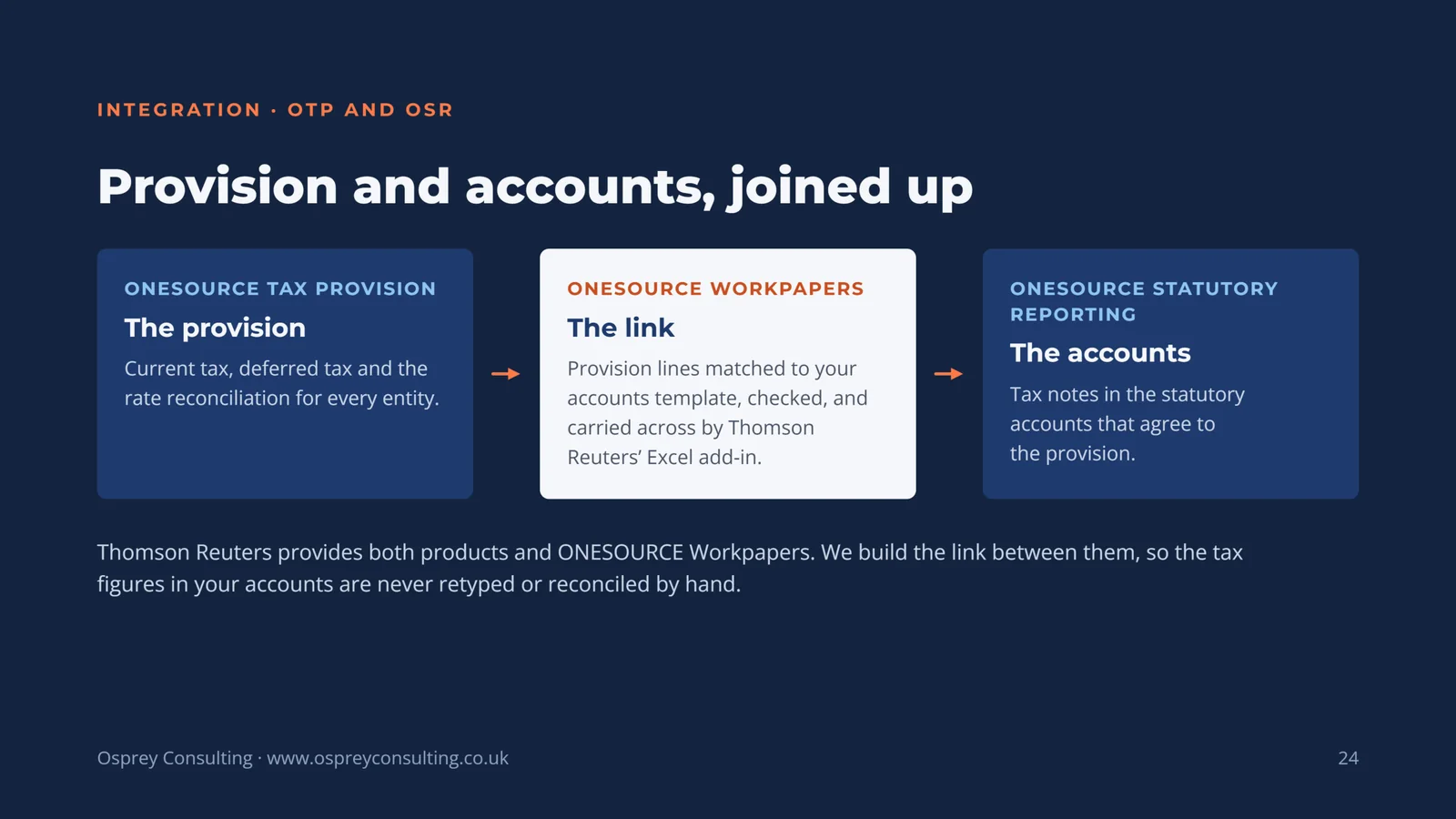
ONESOURCE Tax Provision, the provision: current tax, deferred tax and the rate reconciliation for every entity. ONESOURCE Workpapers, the link: provision lines matched to your accounts template, checked, and carried across by Thomson Reuters' Excel add-in. ONESOURCE Statutory Reporting, the accounts: tax notes in the statutory accounts that agree to the provision.
Thomson Reuters provides both products and ONESOURCE Workpapers. We build the link between them, so the tax figures in your accounts are never retyped or reconciled by hand.
-
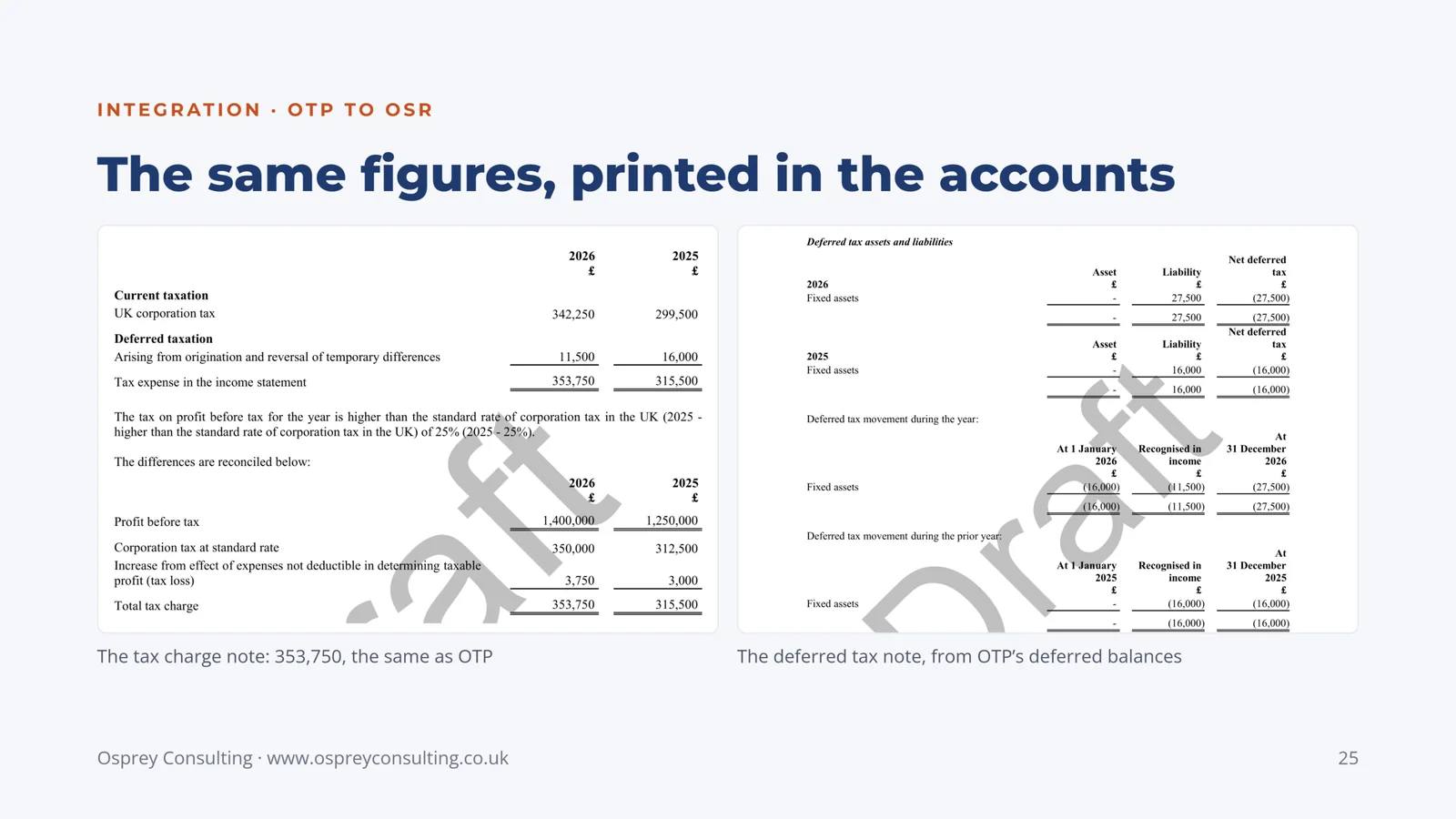
Slide 25: The same figures, printed in the accounts
The tax charge note: 353,750, the same as OTP. The deferred tax note, from OTP's deferred balances.
-
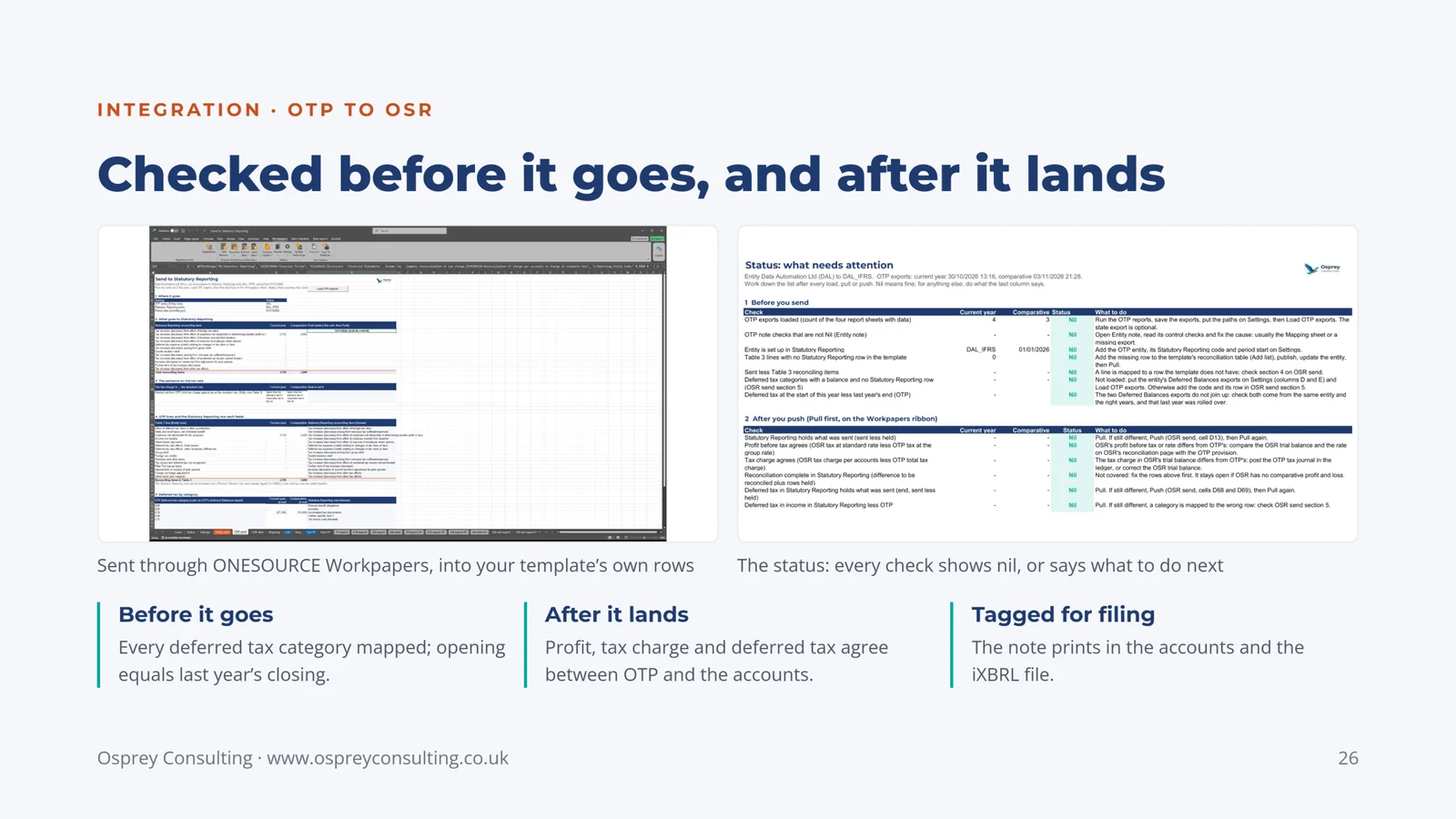
Slide 26: Checked before it goes, and after it lands
Sent through ONESOURCE Workpapers, into your template's own rows. The status: every check shows nil, or says what to do next.
Before it goes: every deferred tax category mapped; opening equals last year's closing. After it lands: profit, tax charge and deferred tax agree between OTP and the accounts. Tagged for filing: the note prints in the accounts and the iXBRL file.
-
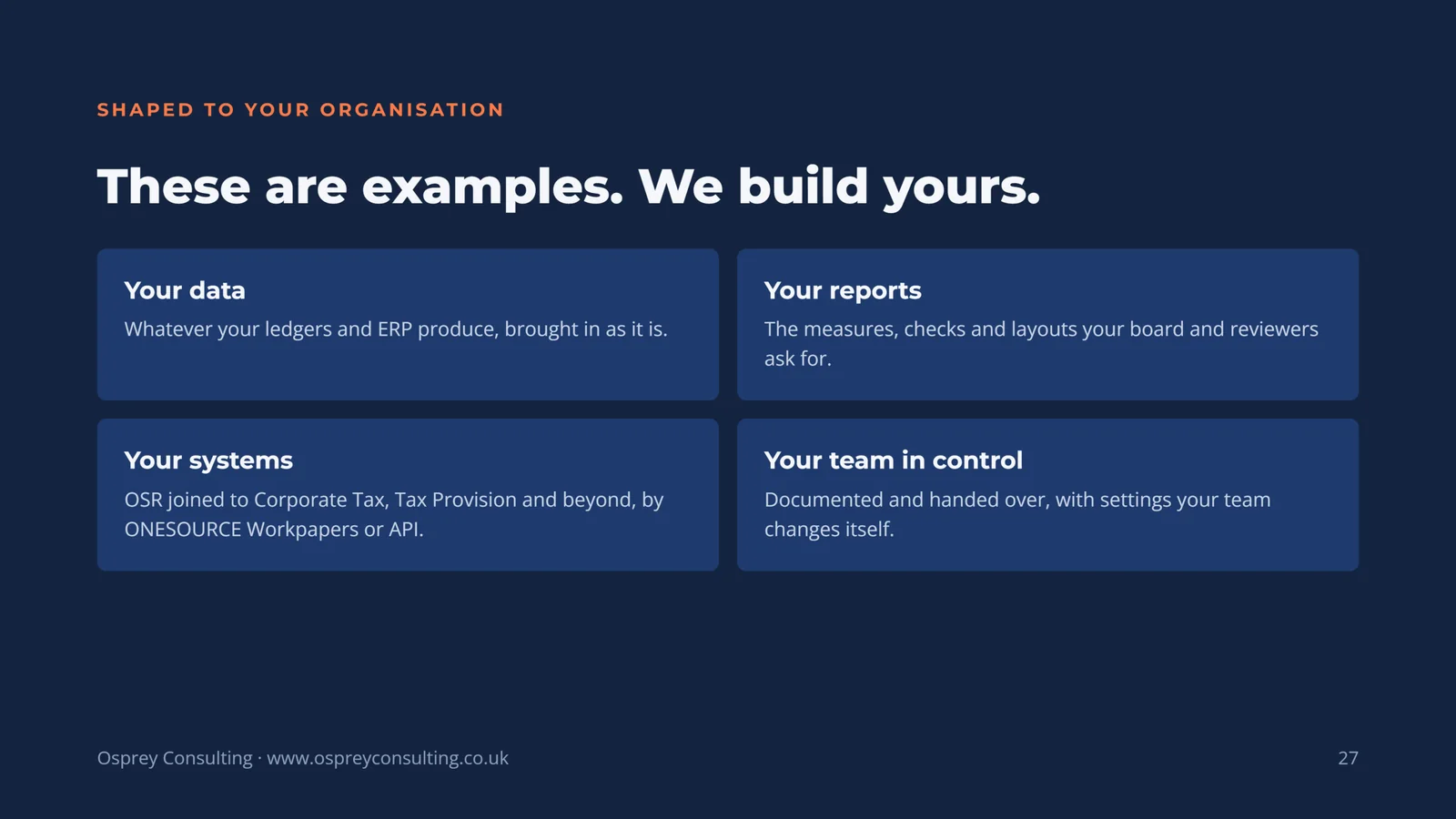
Slide 27: These are examples. We build yours.
Your data: whatever your ledgers and ERP produce, brought in as it is. Your reports: the measures, checks and layouts your board and reviewers ask for. Your systems: OSR joined to Corporate Tax, Tax Provision and beyond, by ONESOURCE Workpapers or API. Your team in control: documented and handed over, with settings your team changes itself.
-
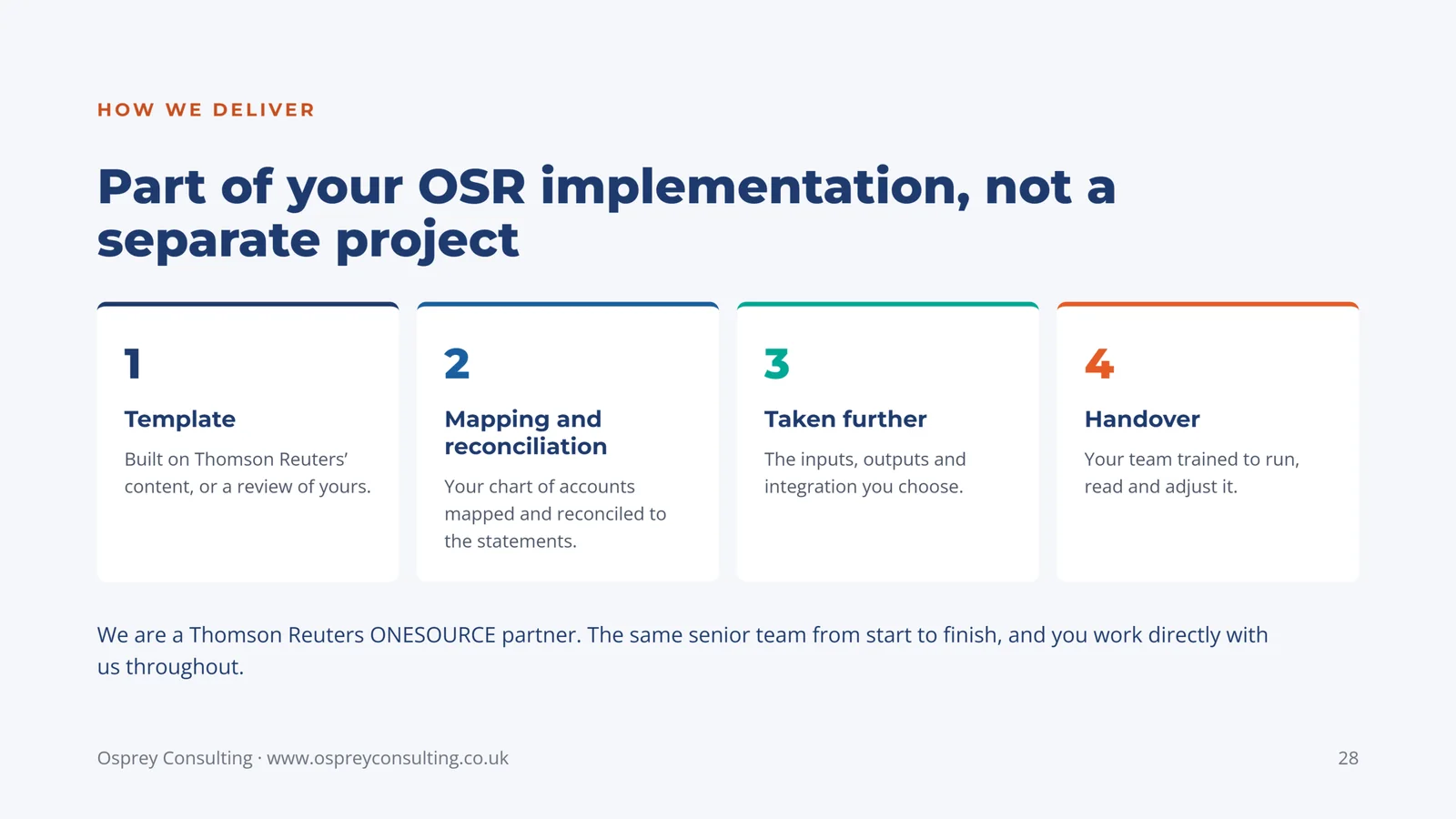
Slide 28: Part of your OSR implementation, not a separate project
1. Template: built on Thomson Reuters' content, or a review of yours. 2. Mapping and reconciliation: your chart of accounts mapped and reconciled to the statements. 3. Taken further: the inputs, outputs and integration you choose. 4. Handover: your team trained to run, read and adjust it.
We are a Thomson Reuters ONESOURCE partner. The same senior team from start to finish, and you work directly with us throughout.
-
Slide 29: Where could OSR do more for you?
Start small, with one focused project on the OSR you already have. Email us to book a call: Mark Hart, FCA and Charlotte Hart, FCA, CTA, [email protected].
Thomson Reuters and ONESOURCE are trademarks of Thomson Reuters; Osprey Consulting is an independent partner. Screenshots use demonstration data.
Your tax provision, taken further
The same approach for ONESOURCE Tax Provision: entity tax packs that load straight into OTP, tailored tax notes, and the tax note sent into these accounts.
See the Tax Provision examples →ONESOURCE Statutory Reporting implementation
Template, mapping and reconciliation, iXBRL tagging and handover: how we deliver OSR itself, with these built in where you want them.
ONESOURCE Statutory Reporting services →Where could OSR do more for you?
Start small, with one focused project on the OSR you already have. Tell us what you would take further and we will tell you what it would take.